image-to-video fashion
Image-to-Video Fashion Ads: From Approved Still to Short-Form Creative
A practical workflow for turning a selected fashion still into short video assets with controlled motion, channel-specific framing, captions, and review.
By DOBIDOBI Editorial Team·8 min read·Updated
Key takeaways
- Approve the still image before adding motion.
- Give each clip one job: hook, reveal, demonstrate, or convert.
- Compose for the target ratio and interface overlays from the start.
- Review every frame for product, person, text, and motion stability.
- Treat each generation as an asset package, not a single file.
Why the still image comes first
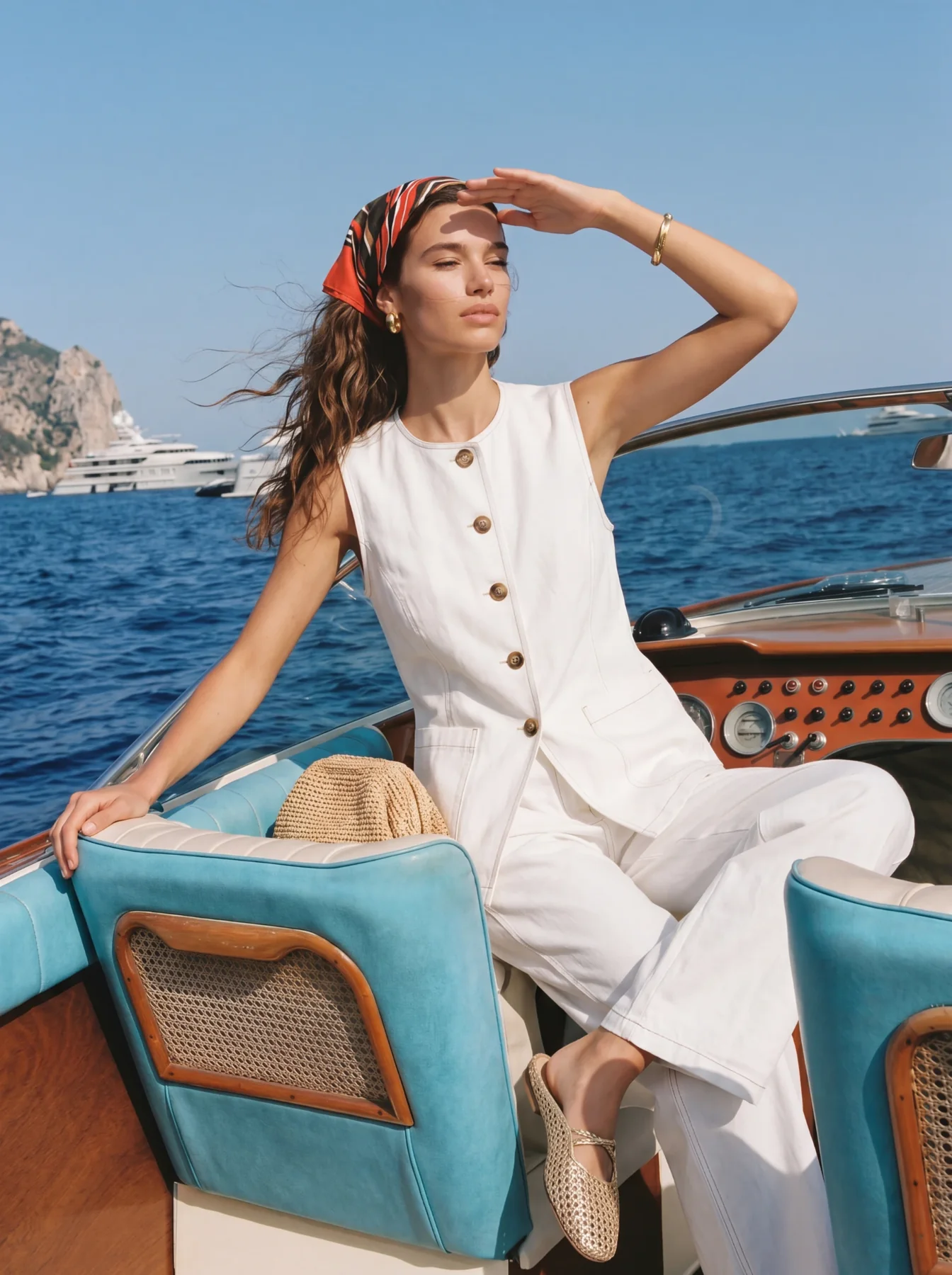
Image-to-video adds motion to an existing visual direction. Starting from an approved still lets the team confirm the product, model, styling, light, and composition before motion introduces new variables.
If the source image contains an incorrect logo, changed garment, broken hand, or unusable crop, animation will not solve it. Approve the still as if it were going live on its own.
Step 1: define one job for the clip
A short clip should do one primary job. Avoid asking the image to “move naturally” without describing the purpose. A controlled push-in, small pose shift, fabric movement, or background motion is easier to review than multiple simultaneous actions.
- Hook: earn attention in the opening moment.
- Reveal: introduce the product or full silhouette.
- Demonstrate: show fabric movement, an angle, or a product interaction.
- Mood: extend the campaign atmosphere.
- Convert: finish with a clear product or brand action.
Step 2: write the motion plan
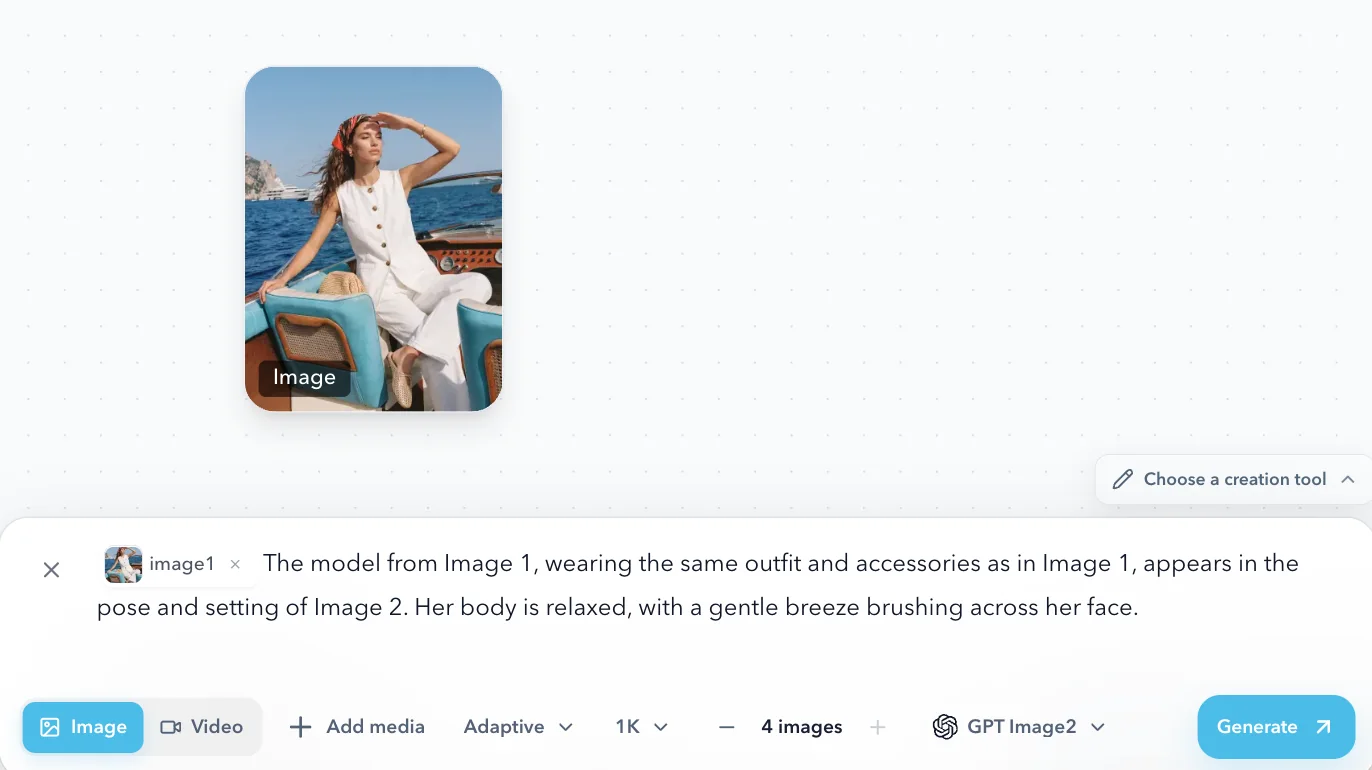
Describe the subject, camera, movement, duration, and ending state. Keep the plan short enough that every instruction supports the clip’s job. The exact controls available may vary by workflow, so treat this as a planning framework rather than a promise that every motion can be locked perfectly.
- Subject: model remains centered and garment stays fully visible.
- Camera: slow push-in.
- Motion: subtle fabric and hair movement; hands remain stable.
- Duration: short loop.
- End state: composition returns to a clean frame suitable for a CTA.
Step 3: plan the format before generation
Vertical, square, and landscape placements have different composition needs. Decide the intended channel and ratio before generating. Keep important product details, faces, logos, and text away from areas commonly covered by platform interfaces or captions.
Do not assume a vertical clip can be cropped into an equally strong landscape asset. When multiple formats matter, produce and review versions for each composition.

Step 4: separate creative versions
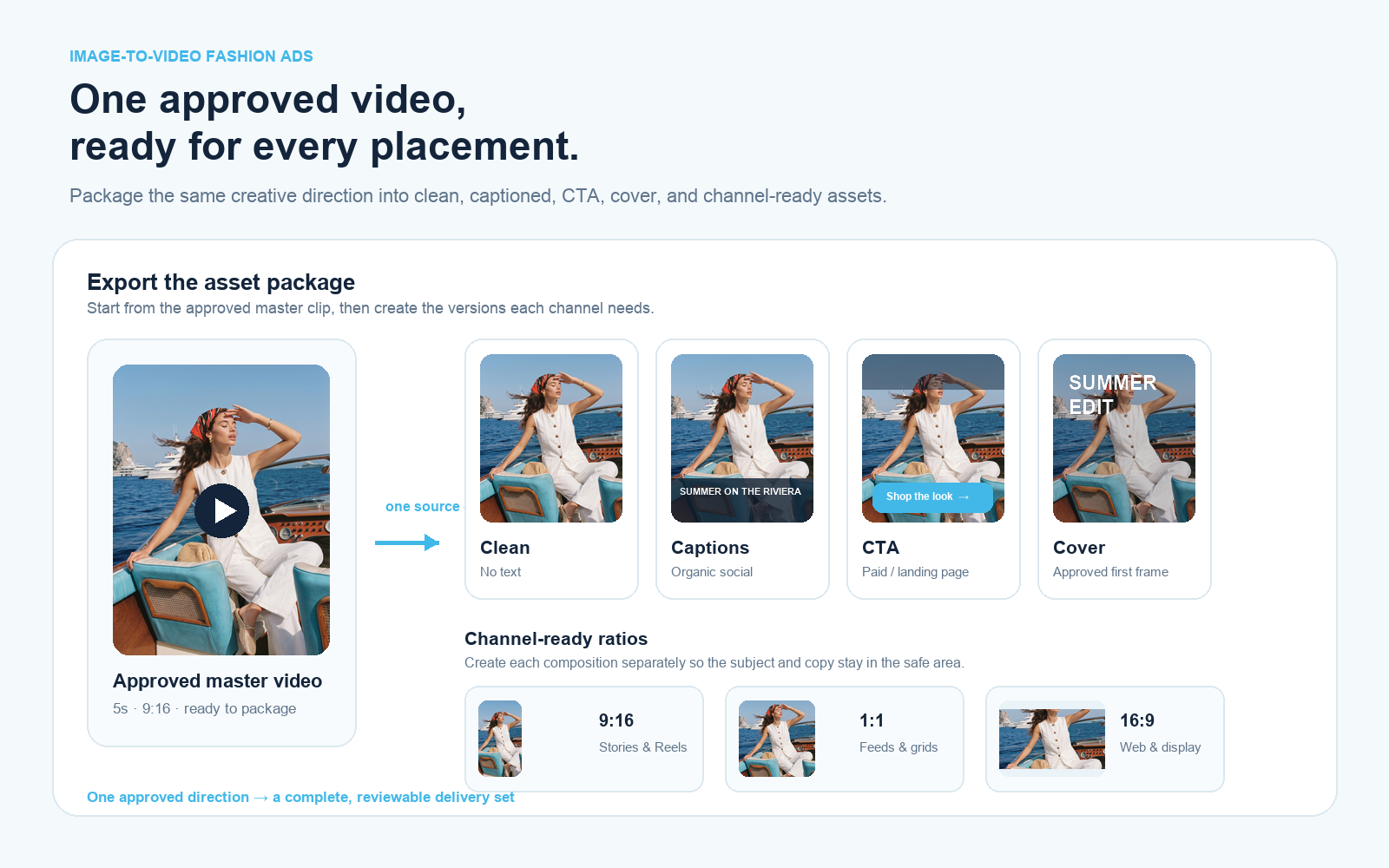
Create an asset package so one approved direction works across social, ads, and web without forcing a single exported file into every placement.
- Clean version for the library and future editing.
- Light-caption version for organic social.
- CTA version for paid or landing-page use.
- Cover image or approved first frame.
- Channel-specific vertical, square, or landscape versions.
Step 5: review frame by frame
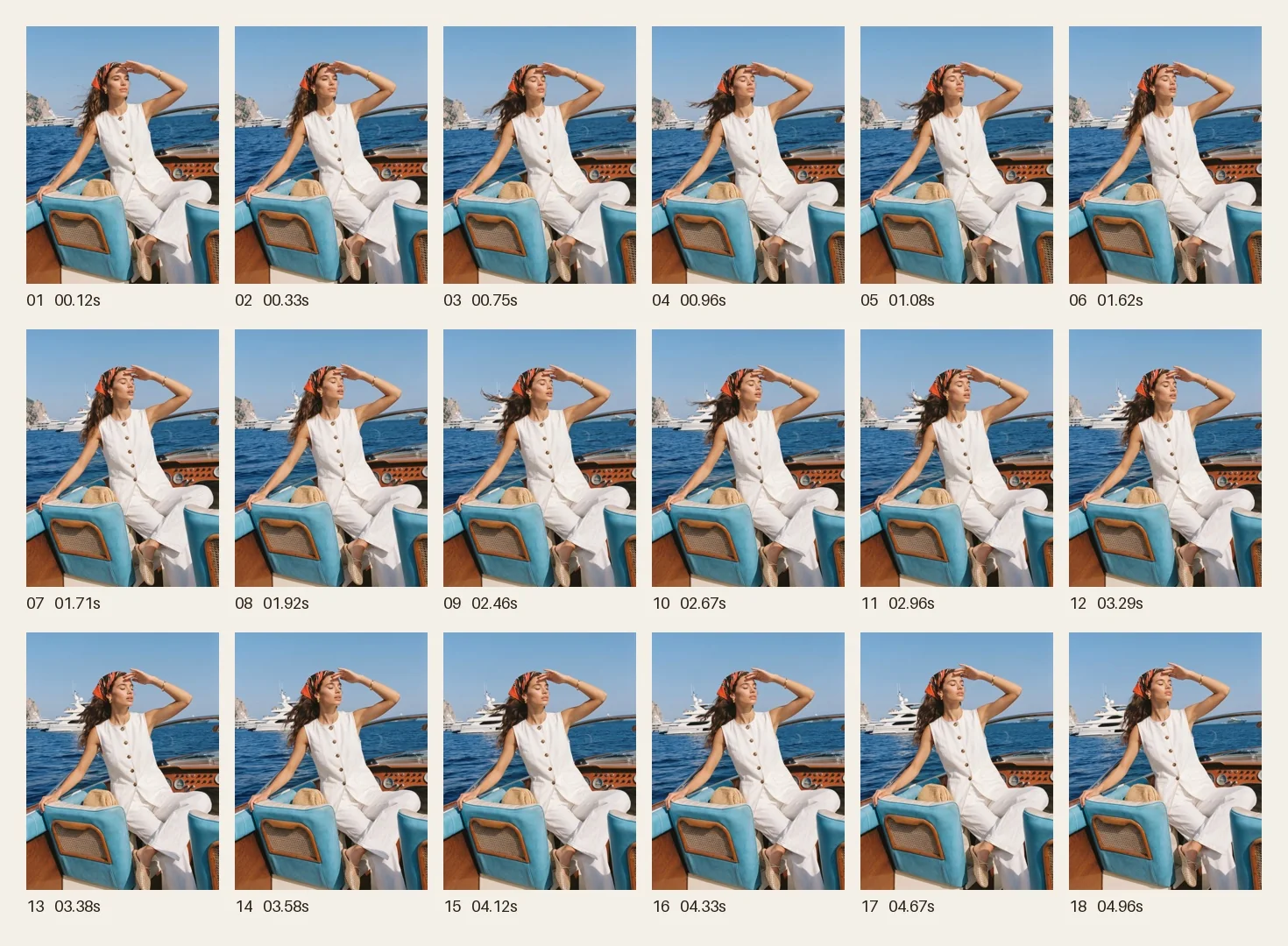
Check the entire clip—not only the first and last frames. If the product changes materially during motion, do not use the clip as a product representation. Regenerate with a simpler motion plan or use the approved still.
- Does the garment change shape, color, pattern, or length?
- Do the face, hands, and body remain stable?
- Do logos or text flicker or distort?
- Does the background introduce unwanted objects or writing?
- Is the motion physically plausible and comfortable to watch?
- Could the video mislead viewers about the product?
Step 6: test the right variable
A cover test evaluates the first frame, hook, and headline. A motion test evaluates whether movement helps maintain attention or communicate the product. A CTA test evaluates the ending and next action.
Change one meaningful variable at a time. Comparing completely different covers, motion, captions, and audiences in one test makes the result difficult to interpret.
Common mistakes to avoid
- Animating an unapproved still and carrying every existing error into the clip.
- Adding too much motion, which increases drift and makes the asset harder to review.
- Cropping after generation and removing the product, face, hands, or caption space.
- Placing captions over the product instead of reserving negative space for interface overlays.
- Skipping the production record for source still, motion plan, ratio, duration, version, and review decision.
Decision table
Version planning for fashion image-to-video assets
| Version | Best channel | Production focus |
|---|---|---|
| Clean version | Asset library and editing | Stable product, clean motion, useful negative space |
| Light-caption version | Reels, TikTok, Xiaohongshu | Strong hook without covering the product |
| CTA version | Ads and landing pages | Clear ending, brand and product visibility |
| Landscape crop | Search ads and website placements | Centered subject and safe area |
Checklist
Image-to-video checklist
- The source still is approved.
- The clip has one defined job.
- Motion is controlled and relevant.
- Composition fits the target format.
- Product, person, logos, text, and background are stable.
- Clean, caption, CTA, and cover versions are organized.
- Claims and synthetic-media requirements have been reviewed for the intended channel.
FAQ
Can image-to-video be used for real fashion ads?+
Yes, after the still and the complete clip have been reviewed for product accuracy, motion stability, claims, and channel requirements.
Why not generate video directly from text?+
Text-to-video can be useful for concept exploration, but an approved still gives the team a clearer visual anchor and a more reviewable starting point for branded product work.
Can one still create multiple versions?+
Yes. Use the same approved direction to create clean, caption, CTA, and channel-specific versions, reviewing each output independently.
Turn an approved fashion still into short-form creative
Choose the strongest frame, define the clip’s job, plan the motion and format, and review the result frame by frame.
Open image-to-video fashion workflowKeep reading