From a thought to a visual world.
One image sets the tone. The same feeling carries through product shots, portraits, and motion.
Turn inspiration into your Style.
Start with an image you love. Keep its visual direction as you create people, products, stills, and motion.
Start with a reference
Bring a model, product, outfit, or mood image to set the direction.
Save your Style
Keep the light, color, framing, and styling cues you want to reuse.
Create a visual series
Carry that direction into portraits, product shots, and lookbooks.
Move from still to video
Bring a selected frame to life while keeping the person and outfit aligned.
One style.Your possibilities.
One original image. Choose a style, then drag to explore the transformation.
Dobi Kagemane
Make a reference video your own
Explore templates
AI fashion and product photo templates
Start from ready-made AI fashion and product photography templates, then swap in your own product and reference.
Precisely Edit and Extend AI Fashion Visuals
Keep the original image's core style while exploring new silhouettes, colors, poses, and details—so every idea can keep evolving.
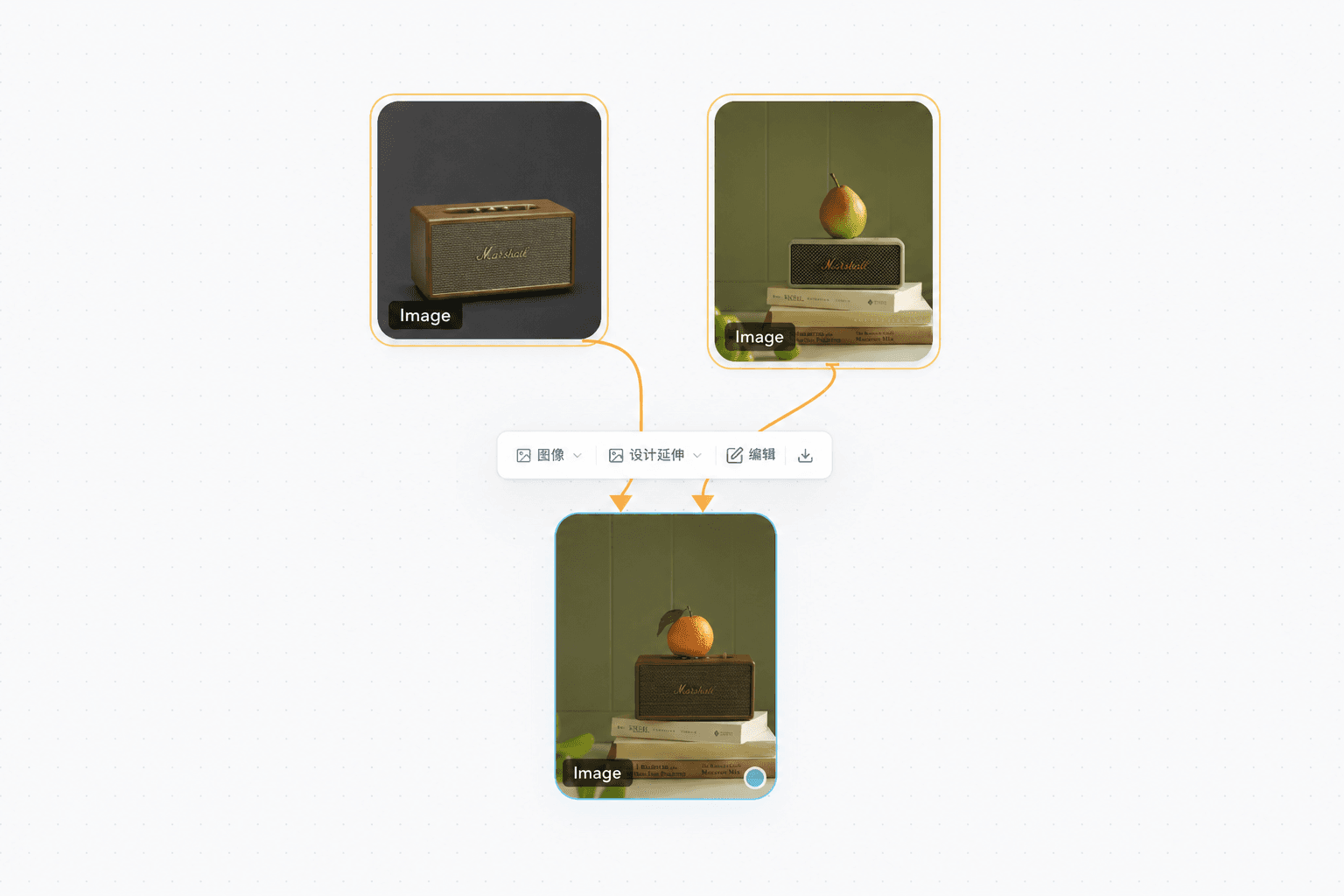
Local edits, made precise
Select a specific area in the image to focus the next edit or extension exactly where it matters.
Local edits, made precise
Select a specific area in the image to focus the next edit or extension exactly where it matters.
FOR BRANDS & TEAMS
Let’s create
what’s next.
Tell us about your brand and the content you want to make.
[email protected]Questions before you start
New to DOBIDOBI? Here are the answers you’ll want first.